Improvements
You can now share workflows, folders and files with just the teammates who need them, while runs, approvals and API keys follow the same access. New Files steps also let workflows read, zip, unzip and prepare documents and images on their own.
Improvements20
- Pro and Enterprise workspaces can now restrict access to folders, workflows, documents and apps, so only the members and roles you choose can see or edit them, and admins and owners keep a permission to reach everything.
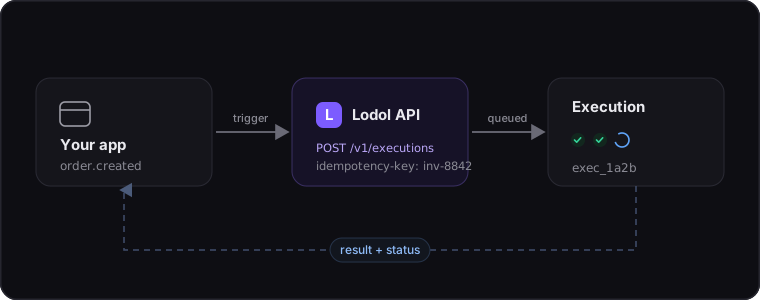
- Runs, Approvals, comments, audit history, the Developer API and AI tools now follow workflow access, so keys and connected agents only reach the items their member can see, and restricted workflows cannot be run, copied or referenced around their sharing.
- Manage access is now available on folders and items, showing a Shared with list only when something is restricted and hiding roles that already reach everything, and the Usage breakdown no longer names workflows a member cannot see.
- Workflows can now read files directly with the Files steps, opening CSV, TSV, Excel, PDF, Word, JSON, text and Markdown into rows or text, and creating CSV, Excel, text or JSON files from your data that keep sensible headers and file names.
- Create a file can now make PDFs from Markdown or HTML, so workflows can turn invoices, quotes and reports into PDFs with a consistent layout, Unicode-friendly fonts and safe image loading from your own HTTP and file steps.
- Files gains Unzip a file and Zip files steps, so workflows can unpack ZIP attachments into individual documents for processing and pack multiple files back into a single ZIP while keeping folder structure and clear names.
- A new Edit an image step prepares photos for posts in one pass, letting workflows resize or crop to common post sizes, add text or logo watermarks, fix orientation, strip location data and save smaller JPG, PNG or WebP files.
- Values, dates, lists and messages are now read the same way in every step, so checkboxes, list inputs, Split text, Format as text and other built-ins treat blanks, booleans, records and lists consistently across your workflows.
- Saving a workflow now stops inputs and schedules that would behave unexpectedly at run time, catching unknown variables, invalid Repeat N times counts, unsupported schedule rules and mismatched Run a workflow inputs with clear suggestions.
- Loops and Filter list steps now work together more predictably: new loops name their item after the list, filters inside a loop explain when they cannot see the loop item, and long messages with many fields save and run reliably.
- Built-in steps now read numbers, dates, text and lists the way people write them, so amounts, percentages, currencies, holidays, phone numbers and date parts match your workspace’s time zone and country and give clearer errors when something cannot be read.
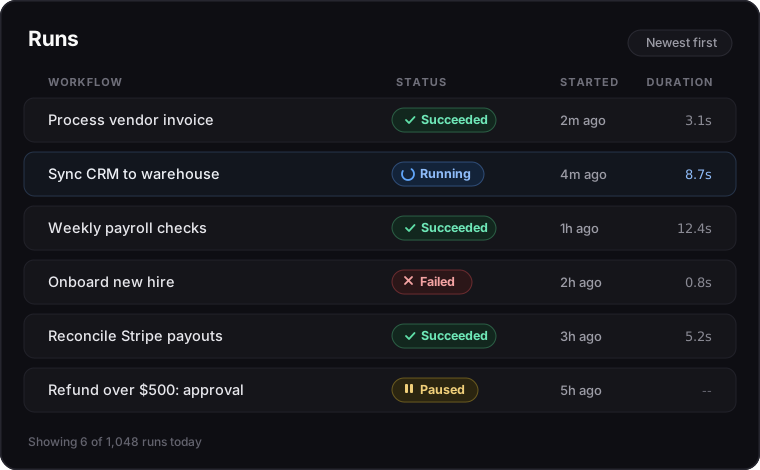
- Wait and Wait until steps now set long waits aside without holding a worker, survive deploys, and show a Waiting until… status in Runs, while date and number pickers use dropdowns for time zones, countries, units and styles where possible.
- Code steps now run only with full isolation, errors show just the lines you wrote, and API and AI-tool run details clearly mark which step failed and why.
- Step errors across the app now use the same plain names you see in the builder, including the field and value that went wrong, and Format as text keeps your text, emoji and numbers as written with clearer style options.
- New accounts now skip extra setup screens and go straight to choosing what you work on and starter workflows, while time zone, country and theme follow the browser and system by default so schedules and dates match what you see.
- Signing up with Google now creates your account in one step and takes you straight into Lodol or back to the AI tool you were connecting, only asking extra questions when your profile is missing a name or you start from sign-in with an unknown address.
- Signing up with email now signs you in as soon as you verify your address in that browser, with a simpler Check your email page that resends in one click, handles mistyped addresses and keeps the verification link working until it expires.
- Connecting from the desktop window now returns you to the window even when you deny access on a consent screen, so saying no cleanly closes the loop instead of leaving you in a stray browser tab.
- The builder guide now sets clearer hard rules for AI-built workflows, so Connect AI tools describe what they can and cannot do, show names instead of raw ids, avoid noisy inbox triggers and ground AI steps in real meeting and approver details.
- The About page on the website has been rewritten as a single short story about Lodol and the team, with a unified team grid, clearer bios and links through to the principles and careers pages.